
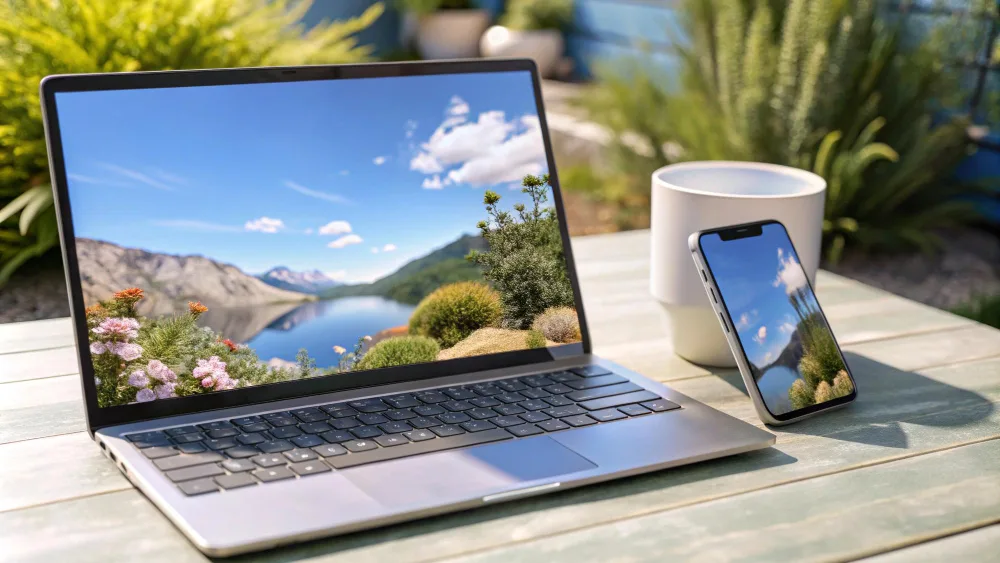
The year 2026 marks a significant turning point in the personal computer market. While a few years ago the main question for students was, „Will my battery last all day?”, today the focus has shifted to local AI processing and the device’s ability to function as a personal academic assistant. In this article, we will review the best options for students, paying special attention to the market newcomer – the MacBook Neo.
1. A New Era: What Defines a Student Laptop in 2026?
Modern studies require more than just a word processor. From engineering simulations to high-definition video editing for social media – the versatility of the device is critical.
The Importance of NPU (Neural Processing Unit)
In 2026, a laptop without a dedicated NPU is considered outdated. This module allows students to transcribe lectures in real-time, automatically generate summaries, and perform complex calculations without overloading the main CPU. This directly correlates with Power Efficiency, as AI tasks are performed using minimal energy.
Screen Technologies and Eye Health
Academic research (e.g., Wang et al., 2025) shows that students spend an average of 10–12 hours a day in front of screens. Therefore, the standard in 2026 is Tandem OLED or enhanced Mini-LED panels with Hardware-level Low Blue Light filters that reduce Computer Vision Syndrome.
2. MacBook Neo: Apple’s Response to Affordable Performance
The biggest news in 2026 is the MacBook Neo. This is a completely new product line from Apple designed to fill the gap between the iPad Pro and the MacBook Air.
- Architecture and M4 Neo Chip: The MacBook Neo uses a specially optimized M4 Neo chip architecture. While it has fewer graphics cores than the Pro models, its Single-core performance is identical to the flagships. This ensures that applications like Safari, Notion, or MATLAB run flawlessly fast.
- Design: An ultra-thin, fanless design made from 100% recycled aluminum.
- Unified Memory: The standard configuration starts with 16 GB of Unified Memory, which is essential in 2026 for smoothly running Large Language Models (LLMs) in a local environment.
- Target Audience: Students who need maximum mobility and the benefits of the Apple ecosystem at a price that does not reach the heights of the Air model.
3. Windows Alternatives: The Dominance of Copilot+ PC
The Windows ecosystem in 2026 has become incredibly competitive due to the integration of ARM-based processors (such as Snapdragon X Gen 3 and the new Intel Lunar Lake generation).
Dell XPS 13 (2026 Edition)
This is a premium device for students who need aesthetics and power. A 13.4-inch InfinityEdge display with a 120Hz Variable Refresh Rate (VRR). An integrated Copilot+ physical button and system-level AI assistant help manage research sources.
Lenovo Yoga Slim 7x
Excellent value for money. The 2026 model features one of the best keyboards on the market (1.5mm key travel). Its Battery Life under real usage conditions reaches up to 18 hours, making leaving the charger at home no longer a stress.
4. Technical Specifications: What to Pay Attention To?
When choosing a laptop in 2026, we recommend following these technical guidelines:
- RAM: Minimum requirement – 16 GB. Software has become more memory-intensive due to integrated AI features.
- Storage: 512 GB Gen5 NVMe SSD is the sweet spot. A fast local drive is required for processing large datasets.
- Ports: At least two Thunderbolt 5 or USB4 ports are essential. The ability to charge the laptop through any port provides flexibility.
- Webcam: 1080p resolution with AI-driven background noise cancellation microphones has become standard for remote lectures.
5. Academic Perspective and Research
„Device Latency directly affects a student’s Flow State. Computers with fast Instant Wake allow for quicker transitions from one academic task to another.”
– Hattie & Yates (2024)
Scientific studies emphasize the impact of laptops on cognitive processes. Additionally, Greenfield (2025) in his work on digital ergonomics notes that trackpad quality is often an undervalued factor contributing to wrist fatigue. The Force Touch technology used by Apple remains a leader in this segment.
Conclusions: What to Choose?
If you are looking for the best combination of price, prestige, and battery longevity – the MacBook Neo is the undisputed leader. For students who need specific applications (e.g., engineering CAD tools), the best choice remains the Dell XPS or Lenovo Yoga line. In the budget segment, it is worth looking for refurbished 2024–2025 flagships that still outperform mid-range new laptops in 2026.
Sources and Recommended Literature:
- Wang, L., et al. (2025). Impact of Tandem OLED Displays on Visual Fatigue during Long-term Academic Usage. Journal of Display Technology.
- Hattie, J., & Yates, G. (2024). Visible Learning and the Science of Technology in Education. Routledge.
- Greenfield, S. (2025). Digital Ergonomics in Higher Education: A Comprehensive Study of Student Laptop Interactions. Oxford University Press.
- TechInsights Report (2026). The Rise of the ARM Architecture in the Consumer Laptop Market.
- Apple Inc. (2026). MacBook Neo: Environmental and Technical Specifications Whitepaper.
- Microsoft Research (2025). NPU vs GPU: Optimizing Local AI Agents for Educational Software.
Need help with your device?
If your phone, computer, or tablet is not working properly, bring it to Fixas. We perform quick diagnostics and usually complete repairs within 1–3 hours.